Football.com Ghana review: KYC, licence and payment checks
The first check: does the identity document match the account?
A Football.com Ghana account should be treated as an identity-matching exercise before it is treated as a betting or casino decision. The central practical question is whether the person opening the account, the name on the identity document, the account-holder details and the payment account all refer to the same person. A mismatch can delay verification, restrict an account or make a withdrawal request difficult to resolve. The supplied evidence does not establish how Football.com handles every mismatch, so no fixed outcome should be assumed.
For a Ghanaian user, keep the account details consistent from the start. Use the same legal name and date-of-birth information that appear on the document used for verification. Do not open an account with another person’s payment instrument, send a document edited to fit a form, or rely on a nickname when the service asks for legal identity information. If a document is rejected, preserve the original request, the exact response and the date rather than repeatedly uploading altered versions.
Football.com is the brand reviewed here, but the reviewed primary record does not name the local operator. That distinction matters: a brand, a website host and a licensed legal entity are not automatically interchangeable.
What the Ghana licence record does and does not prove
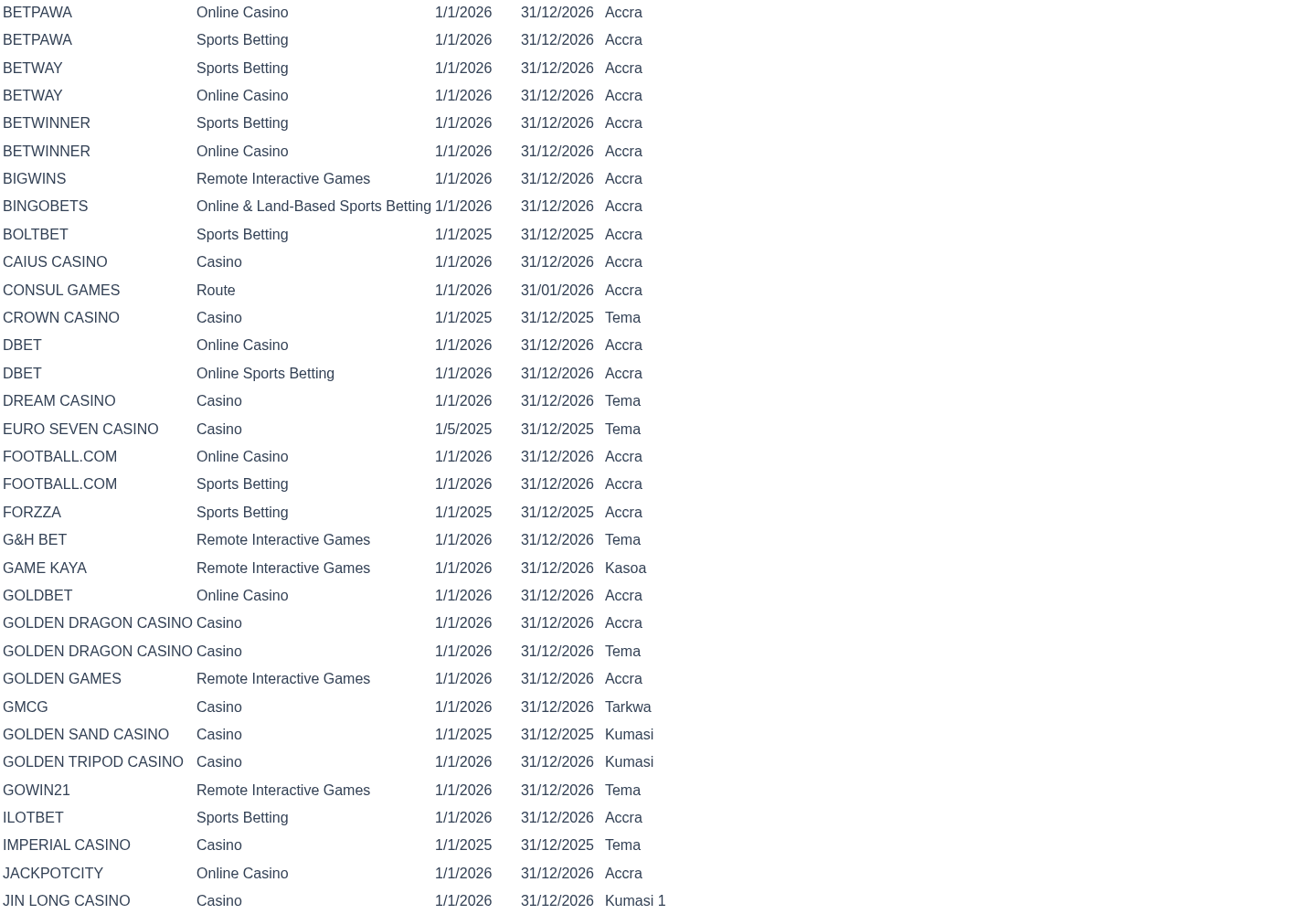
The supplied Ghana Gaming Commission record places a trade entry in the category “Sports Betting and Online Casino” for the period 01/01/2026–31/12/2026. The record is primary evidence for the entry and its stated operating period. It does not, by itself, prove that every domain, application, payment account, promotional message or customer-service channel using the Football.com name belongs to the same authorised entity.
The reviewed packet does not provide a named local operator in the primary domain record. It also does not provide a licence number, a separate expiry date beyond the stated period, or a precise domain-to-entity mapping. Those omissions keep the overall signal amber rather than green. Amber is not a finding that Football.com is illegal. It means the available evidence supports a current category and period but leaves an important identity link open.
The legal framework summary supplied in the packet identifies Act 721 and a licensing requirement. That is useful regulatory context, not a substitute for matching the exact host and operator. A user should compare the service’s legal name and domain with the relevant Ghana Gaming Commission entry before depositing.
| Check | Supplied evidence | What remains open |
|---|---|---|
| Regulator | Ghana Gaming Commission operator table | Exact local legal entity behind the reviewed domain |
| Activity | Sports Betting and Online Casino | Whether every product shown to a user is covered in the same way |
| Period | 01/01/2026–31/12/2026 | Whether the record changes after the stated period |
| Legal context | Act 721 licensing summary | A domain-specific legal conclusion beyond the record |
Visit a checked casino option · 18+
The regulator table should be the starting point for verification, and the statutory summary provides context for why the licence check matters. The archived capture is useful for chronology; the current regulator page is the better place to check whether an entry has changed. Read the current Ghana Gaming Commission operator table and compare the exact identity details rather than relying on the brand alone.
Host, brand and operator: the match that still needs checking
The packet identifies the exact brand as Football.com, while the exact-domain field is blank and the operator is recorded as “Local operator not named in reviewed primary domain record”. This is the most important unresolved identity issue in the dossier. Without a supplied exact host, it is not possible to say that a particular URL is the licensed host, and it would be unsafe to fill the gap from branding alone.
A careful match has three layers. First, inspect the address bar and record the complete host, including the country or path component. Second, compare the host and the legal operator wording in the service’s terms. Third, compare that legal operator with the relevant Ghana Gaming Commission entry. A brand name that appears in an app search, a page title or a logo is only an identity clue. It is not proof of the licensed entity.
The operator terms are evidence of what Football.com says about its own service. They are not regulator confirmation. In practical terms, a user should save the terms version, the footer legal name, the support address and any licence statement displayed at registration. If those details conflict with the regulator entry, pause before funding the account and send the discrepancy as a written question.
The supplied logo is included for recognition only. It does not authenticate a host or establish that a page is official.

Is Football.com Ghana legitimate or a scam?
The evidence supports a cautious answer rather than a binary label. A primary regulator record for the relevant activity and period is a positive verification point, but the reviewed packet does not establish the exact domain-to-operator match. The appropriate conclusion is therefore open evidence: the record is not enough to call the service a scam, and it is not enough to give an unqualified “legitimate” verdict for an unspecified host.
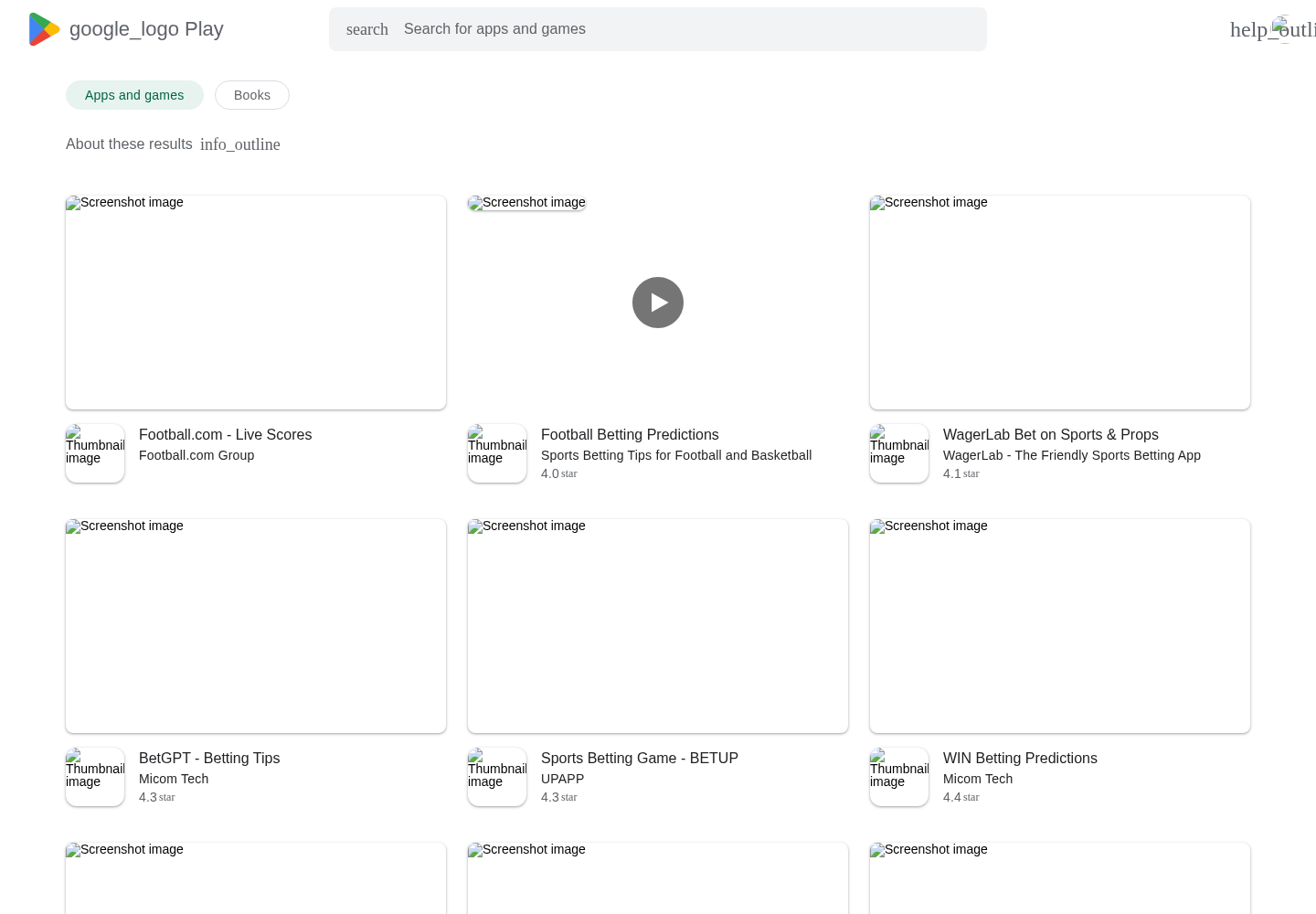
A scam check should focus on observable identity and money movement. Compare the domain character by character with the address you intended to visit. Be wary of lookalike spelling, extra hyphens, unexpected country domains, shortened links, urgent messages and payment requests sent through private chats. Never assume that a copied logo, an app listing or a search result proves ownership. The supplied app-search capture is contextual only; ratings and reviews do not establish licensing, solvency, withdrawal performance or domain control.
Do not send money to a personal mobile-money wallet or bank account merely because a person claims to represent Football.com. Before any transfer, check whether the payment beneficiary name is consistent with the verified operator information and retain the transaction reference. A mismatch is a reason to stop and ask for clarification, not a reason to guess.
How to verify the legal host before opening an account
Start with a clean record. Write down the exact host, the date and time of the check, and the legal name shown in the terms or footer. Do not rely on a browser search snippet because a snippet can point to an outdated or copied page. If the host is hidden behind a redirect, record the final address and the address used to reach it.
Next, compare those details with the regulator record. The archived regulator capture dated 13 May 2026 is part of the evidence chronology, while the regulator’s current operator table is the relevant place for a fresh comparison. The supplied record confirms the activity category and period but does not name a local operator for the reviewed primary domain. Mark the host-to-operator field as unresolved unless the service supplies a legal name that can be matched precisely.
Finally, ask support a narrow question: “Which Ghana-licensed legal entity operates this exact host, and where is that entity named in the current regulator record?” Keep the reply with the host and date. A vague answer about a brand, a parent group or an overseas company does not resolve the Ghana host question.
| Identity item | Record it as | Do not substitute |
|---|---|---|
| Exact host | Full address shown in the browser | Brand name or search result |
| Legal operator | Name in current terms and regulator entry | Logo, app title or payment nickname |
| Licence activity | Stated Ghana activity category | A licence from another market |
| Check date | Day the comparison was made | An undated screenshot or old claim |
A mismatch between the host and the operator is not automatically proof of wrongdoing, but it is a material verification gap. Keep the account unfunded until the gap is explained clearly.
Account ownership and KYC documents
KYC is strongest when the account data, identity document and payment trail tell one consistent story. Use your own account, your own identity information and a payment method you are authorised to use. Check spelling, middle names and dates before submitting anything. A shortened name can create a review problem even when the person is genuine.
Submit only what the service requests through its authenticated process. Avoid sending identity documents to an unverified chat account, an individual representative or a copied support address. Keep a private record of what was requested and when it was submitted, but do not circulate identity documents in public reviews or group chats.
The evidence packet contains no verified withdrawal test, no documented KYC turnaround time and no confirmed list of accepted Ghanaian documents. Those are unknowns, not promises. Before depositing, ask which documents are accepted, whether address evidence is required, whether a document must be current, and what happens if the account name differs from the payment name. Ask for the answer in writing.
| KYC point | Safe practice | Evidence status here |
|---|---|---|
| Name | Match the account, ID and payment owner | Practical control; no Football.com outcome supplied |
| Document type | Confirm accepted Ghanaian documents first | Not verified in the packet |
| Review time | Obtain a written estimate from support | Not verified in the packet |
| Rejection | Keep the request and response unchanged | No documented the operator procedure supplied |
| Privacy | Use the authenticated channel only | No complete privacy assessment supplied |
A request for extra verification is not, by itself, evidence of a scam. The relevant questions are whether the request comes through the genuine host, whether it is proportionate and whether the operator explains how the information is handled.
Deposits, payment-name checks and withdrawals
The packet does not verify a the brand payment-method list, deposit limit, processing time, withdrawal fee, minimum withdrawal, reversal policy or successful withdrawal test. Do not present any of those items as available or guaranteed. Payment information should be confirmed directly on the exact host after the identity match has been completed.
Before depositing, check the beneficiary name shown at the final payment step. It should be explainable in relation to the verified operator. A personal name, an unrelated business or a wallet number supplied by a stranger is a high-risk mismatch. Take a screenshot for your private records only after confirming that it contains no unnecessary personal information.
A small initial transaction can reduce exposure, but it does not prove that a service will process a later withdrawal. If you test a withdrawal, record the request time, amount, method, status, any KYC request and every support reference. Do not make additional deposits merely to “unlock” a withdrawal unless the requirement is clearly documented and independently verified; an urgent pay-more request is a warning sign.
| Payment question | What to confirm | Current packet position |
|---|---|---|
| Available methods | The methods displayed on the exact host | Unknown |
| Beneficiary | Name receiving the funds | No verified payment-name record supplied |
| Withdrawal timing | Stated processing and bank or wallet timing | Unknown |
| Fees and limits | Minimum, maximum and applicable charges | Unknown |
| Test result | Dated successful or failed withdrawal | No withdrawal test exists in the packet |
For a practical checklist before funding, use the internal payment checks guidance. It cannot replace a host-specific confirmation, but it helps separate a displayed payment option from an independently verified payment outcome.
Complaint packet: what to preserve and where to escalate
If an account, KYC request or payment is disputed, build a chronological complaint packet. Include the exact host, account identifier with sensitive information redacted, registration date, deposit and withdrawal references, identity requests, support tickets, screenshots, dates, times and the remedy requested. Keep original files unchanged and make a separate redacted copy for sharing.
Write the complaint as a sequence of facts. State what happened, what the operator said, what remains unpaid or unexplained, and the response deadline you are requesting. Avoid allegations that cannot be supported. A user report or app review can show that a concern was raised, but it does not establish that the underlying allegation is true.
First use the operator’s authenticated support route and keep the ticket number. If there is no clear response, organise the packet for the relevant Ghana regulatory complaint channel. The supplied evidence does not include a the service-specific complaint decision, a finding of misconduct or a confirmed dispute outcome. A complaint therefore remains an allegation unless a competent dated record establishes more.
| Complaint evidence | Why it matters | Handling rule |
|---|---|---|
| Host and legal wording | Establishes which service is being challenged | Preserve the full address and date |
| Payment reference | Connects the dispute to a transaction | Redact unrelated financial data |
| KYC request | Shows what verification was demanded | Keep the original wording |
| Support ticket | Demonstrates notice and response | Record ticket number and timestamps |
| Requested remedy | Makes the issue actionable | State one clear outcome |
The internal complaints route can help structure the packet. Do not publish identity documents, full wallet numbers or private correspondence containing another person’s personal information.
Privacy, clones and account-security risks
The evidence packet does not establish the operator's complete privacy notice, retention period, processors, breach history or data-transfer arrangements. Treat privacy as an open question. Before uploading identity evidence, locate the privacy wording on the exact host and check who is named as the controller or operator, why the information is collected and how a user can request help.
Clone checks should be performed every time, even if the page uses the supplied logo. Compare spelling, secure connection, support contacts, terms wording and legal operator details. Do not install an application from a file sent through a private message. An app-search appearance is only contextual identity evidence and does not prove that an installation package is official.
Use a unique password and enable any security feature offered by the genuine service. Do not share one-time codes. If a support representative asks for a password, full card details or a transfer to a personal account, stop the conversation and verify through the host’s independent support path.
The internal scam warnings guide provides a separate checklist for lookalike domains and urgent payment requests. The logo and the app-search capture in this dossier should be treated as recognition aids, not as security certificates.
Evidence chronology and review method
This dossier uses the supplied packet only. The dated primary sources were checked on 20 August 2026. SRC-0010 records a 13 May 2026 archived capture of the official operator table and is used for the supplied registry image and chronology. SRC-0001 is the current regulator-table source for trade names, operation types and issue or expiry dates. SRC-0004 supplies the Act 721 licensing context. SRC-0032 contains the brand's exact-domain and terms wording as an operator statement, while SRC-0033 supplies app-search identity context whose ratings and reviews are not treated as proof of licensing or performance.
The method separates source roles. Primary regulator records support regulatory claims. Operator wording shows what the service says about itself. User-context material indicates that a brand or app identity appeared in a search environment, but it cannot prove the operator, licence, payment reliability or withdrawal result. No unsupported conclusion is added where the packet is silent.
On that basis, the signal is amber with an open-evidence basis. The positive point is the primary record for Sports Betting and Online Casino for 01/01/2026–31/12/2026. The limiting point is the missing exact-domain and named-local-operator match. There is no supplied official adverse record and no corroborated adverse finding, so a red signal would overstate the evidence. A green signal would also overstate it because the precise host/entity link is unresolved.
The internal methodology guide explains the distinction between a primary record, an operator statement and contextual user material. The practical correction path is simple: provide a dated current regulator record that names the exact host and legal entity, or provide a reliable documented update that resolves the present mismatch. If a later record contradicts this dossier, retain the old evidence, date the correction and explain which claim changed.
What to do before using the service Ghana
Treat the operator as an amber, identity-first review. Confirm the exact host before registration, compare its legal operator with the current Ghana Gaming Commission entry, and resolve the missing local-operator name. Keep account, identity and payment names aligned. Confirm payment methods, beneficiary details, KYC requirements, withdrawal conditions and complaint contacts in writing because the supplied packet does not verify them.
Do not treat a licence category as a guarantee of payment, a logo as proof of authenticity, an app search as proof of ownership or a user report as an established finding. If the host, operator and payment beneficiary cannot be reconciled, do not deposit. If they can be reconciled, preserve the dated evidence and continue to monitor changes to the regulator record.
For readers who have completed those checks and want to proceed through the supplied route, View checked options is the single available commercial path; it is not a guarantee of legality, account approval, payment processing or withdrawal.
Frequently asked questions
What should I do if my identity document does not match my account?
Stop submitting altered documents, preserve the original KYC request and contact support through the authenticated host. Ask what correction is required and keep the response with its date and ticket number. Do not use another person’s payment account to work around the mismatch.
Is Football.com licensed in Ghana?
The supplied primary record lists Sports Betting and Online Casino for 01/01/2026–31/12/2026, but the reviewed packet does not name the local operator or establish the exact domain-to-entity match. The evidence therefore supports an amber, open-evidence signal rather than an unqualified conclusion.
Is Football.com Ghana legal or a scam?
The packet does not establish that Football.com is a scam, and it does not provide enough host-specific identity evidence for an unconditional legitimate verdict. Verify the exact host, named operator and current regulator entry before depositing.
Are Football.com payment methods and withdrawals verified?
No. The packet does not verify a payment-method list, beneficiary name, withdrawal timing, fees, limits or a successful withdrawal test. Confirm those details on the exact host and keep transaction and support references.
How can I identify a Football.com clone?
Compare the complete host character by character, inspect the legal operator and terms, reject unexpected redirects and avoid private-message installation files or personal-wallet payment requests. The logo and app-search capture are identity context, not authentication.
How do I complain about a Football.com account or payment?
Start with authenticated operator support and preserve the host, transaction references, KYC requests, ticket numbers, dates and requested remedy. If the response is inadequate, organise the packet for the relevant Ghana complaint channel. A complaint remains an allegation unless a competent dated record establishes more.